Console learning
Development captures show a C# editor beside console output. The intended learning flow connects code with what it produces.


CSharpStudio is an in-development, browser-based C# learning environment. It explores console programming, visual form design, and event-driven code in a familiar IDE-style workspace.
Explore development preview Development captures · No public app yet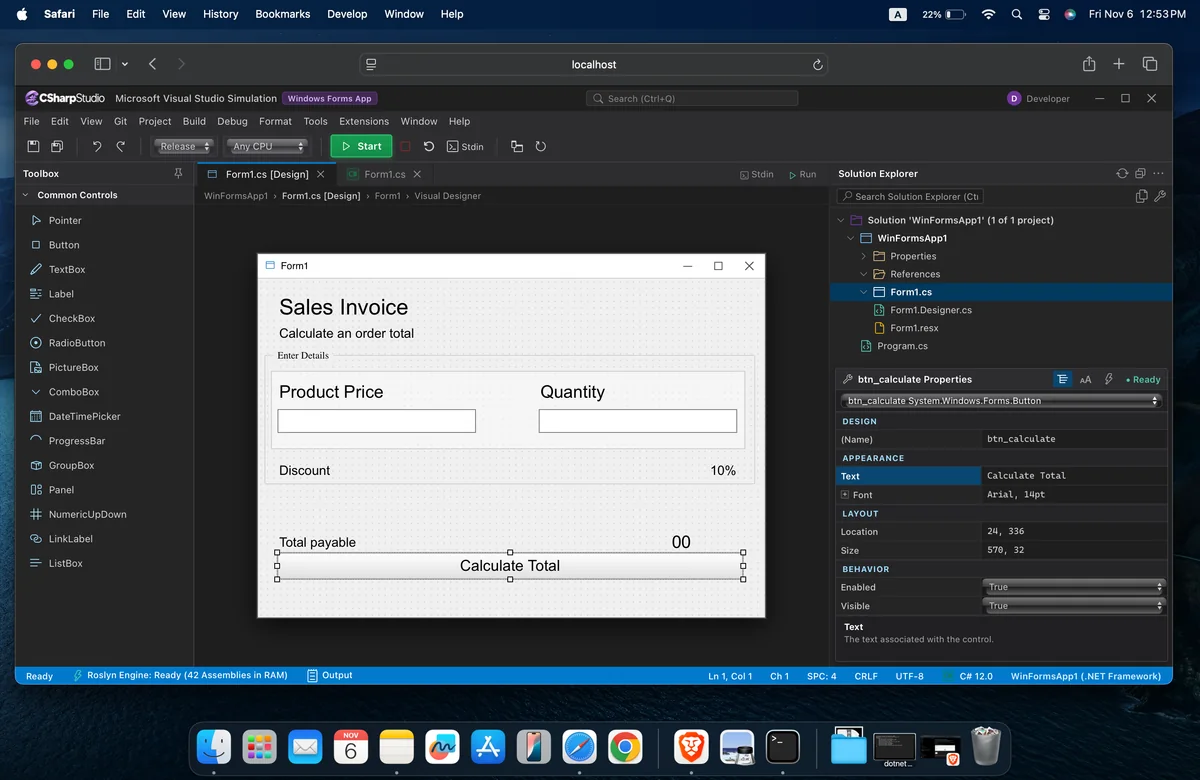
Learning Windows Forms-style design often starts with a Windows computer and a full Visual Studio setup. That makes practical lessons harder to access on macOS, Linux, or less powerful devices.
CSharpStudio is being created to bring a familiar, Visual Studio-inspired learning flow into the browser. The goal is to make console lessons, drag-and-drop form design, and event-driven programming easier to demonstrate and practice.
Follow the project, code, design, and preview views in the order a learner might use them.
 Enlarge image ↗
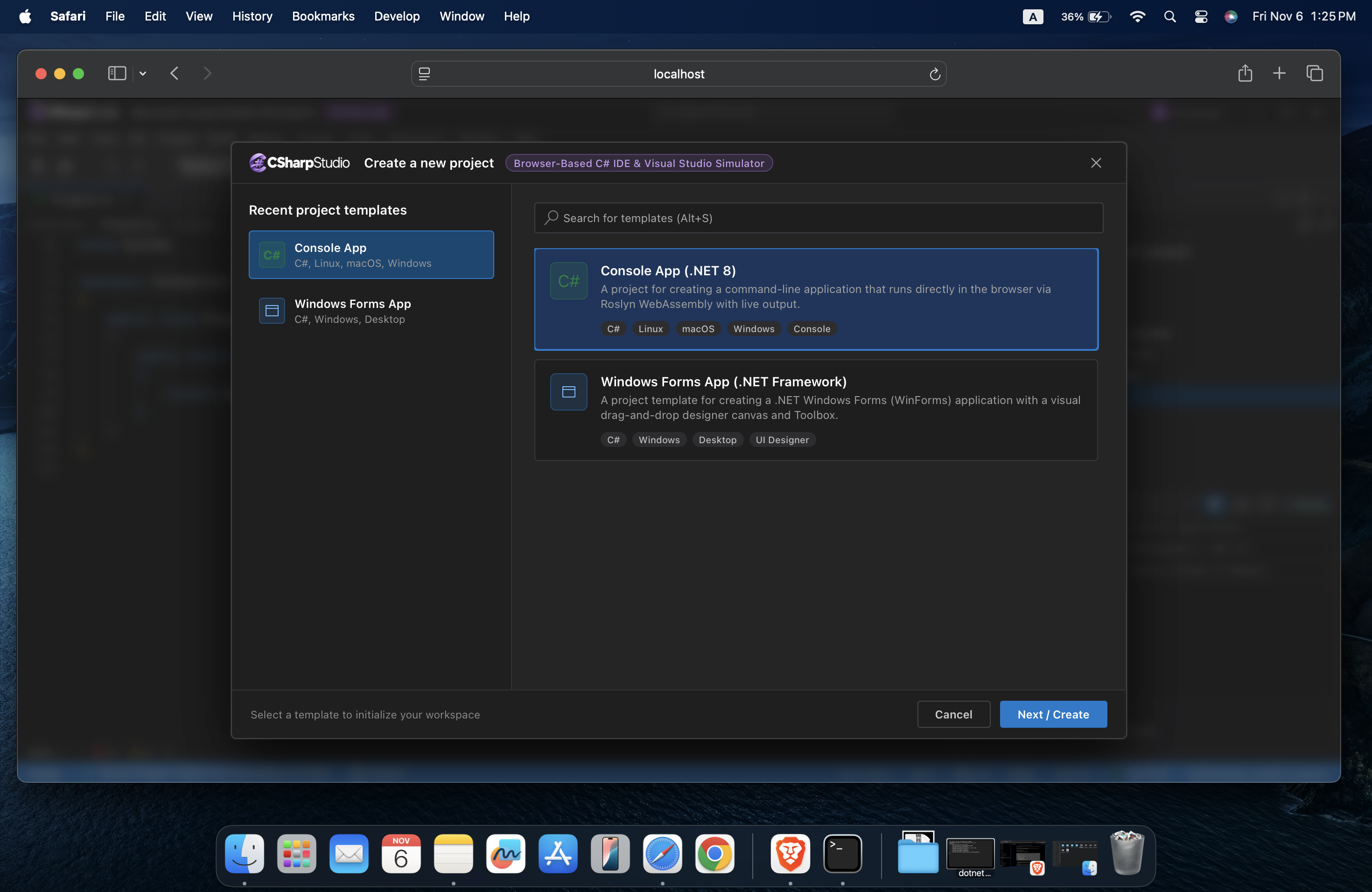
The development capture shows console and Windows Forms-style project choices in a browser workspace.
 Enlarge image ↗
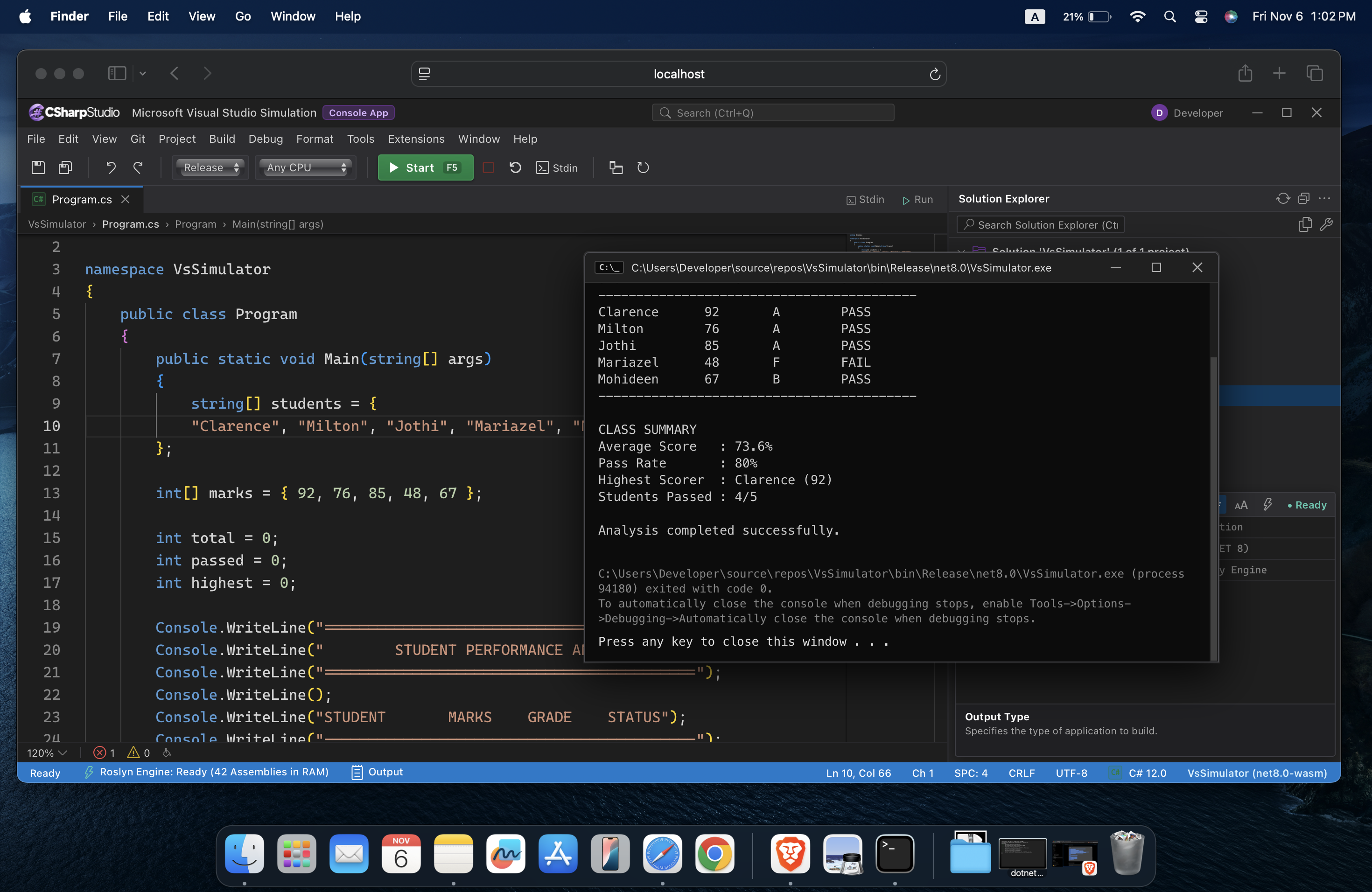
A C# editor and console output appear together, giving learners a way to connect code with its visible result.
 Enlarge image ↗
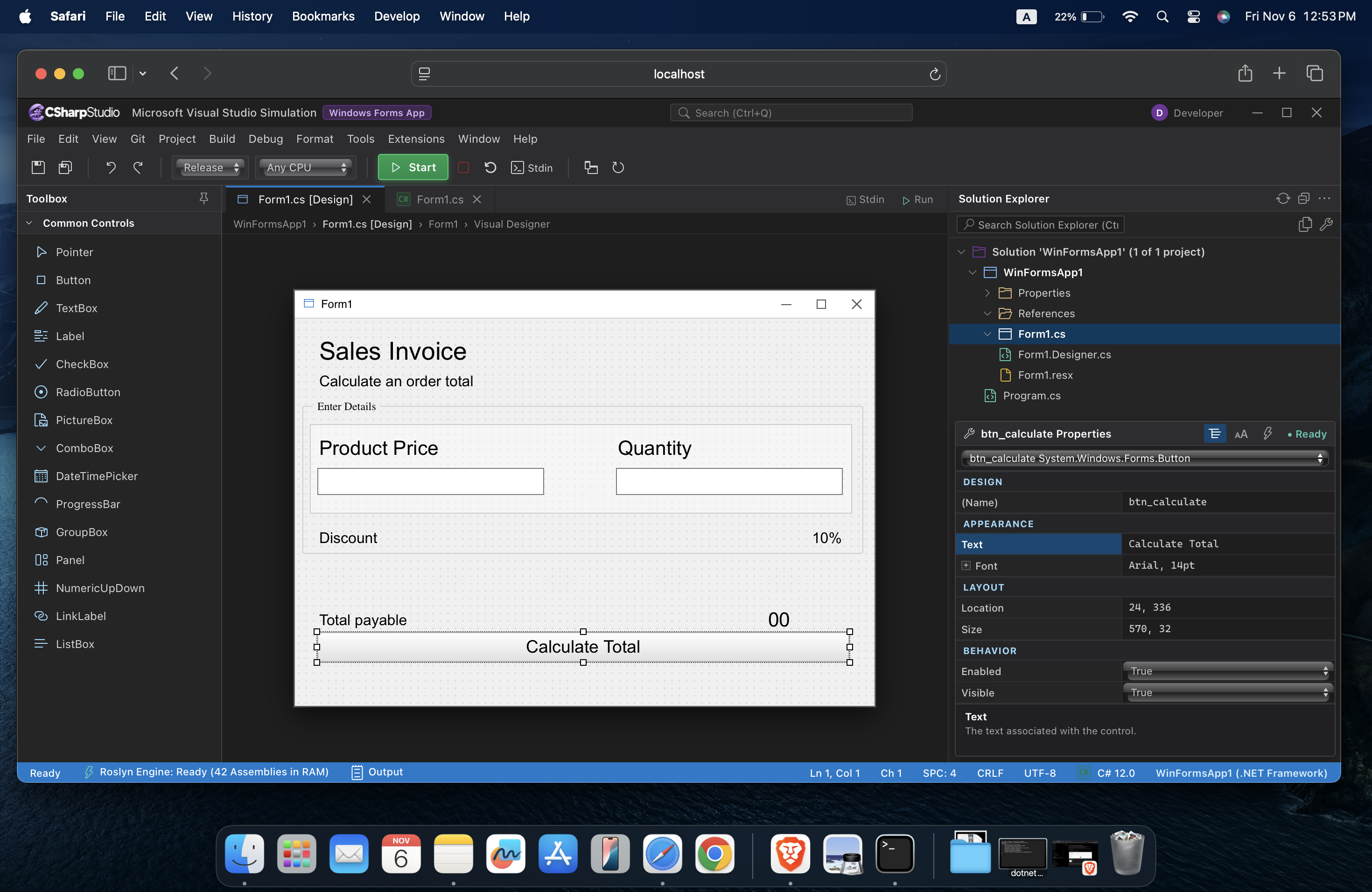
The forms designer preview shows controls being arranged on a sample invoice interface.
 Enlarge image ↗
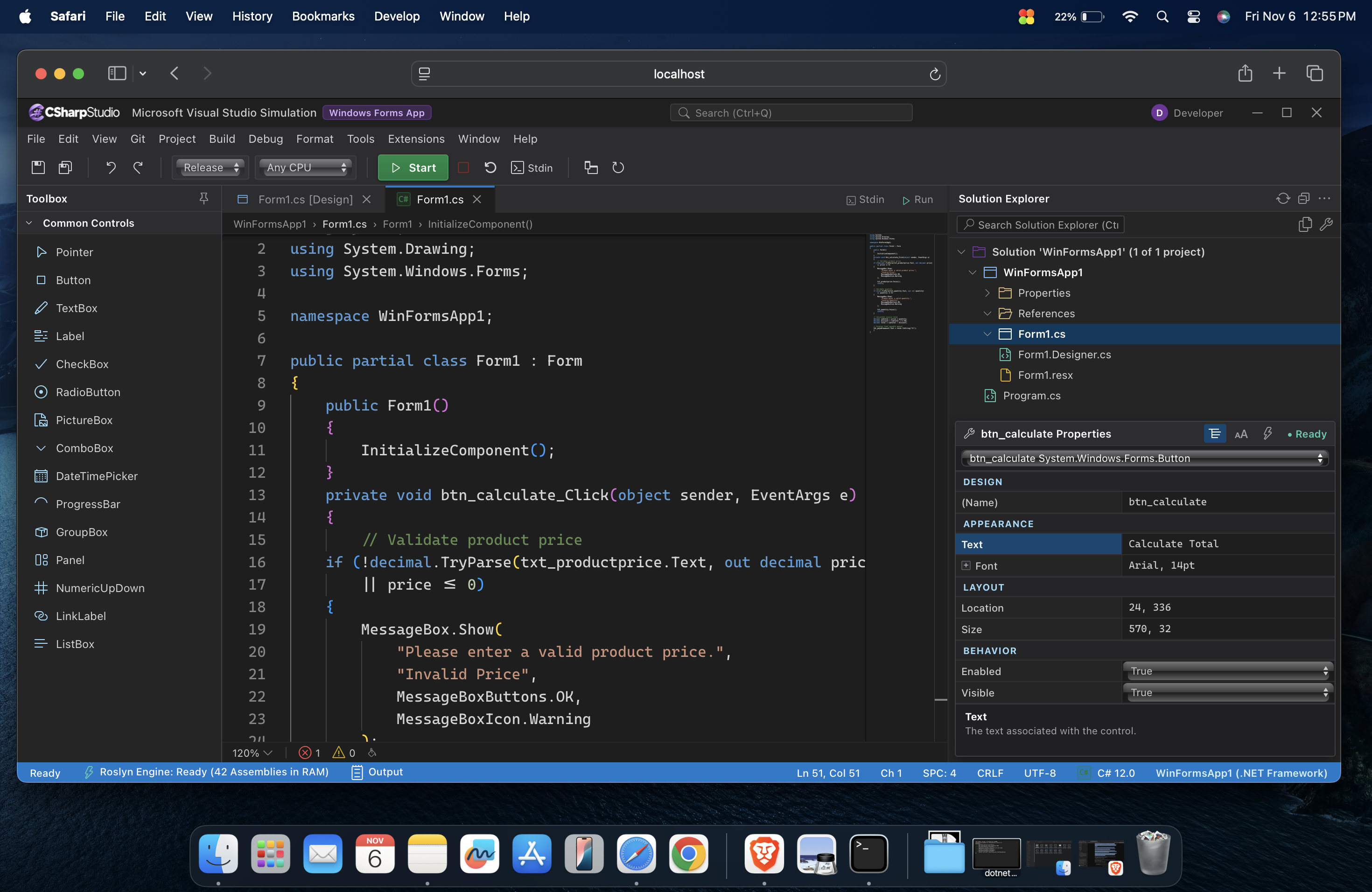
An event-code view shows how a form interaction can be discussed alongside C# event-handling code.
 Enlarge image ↗
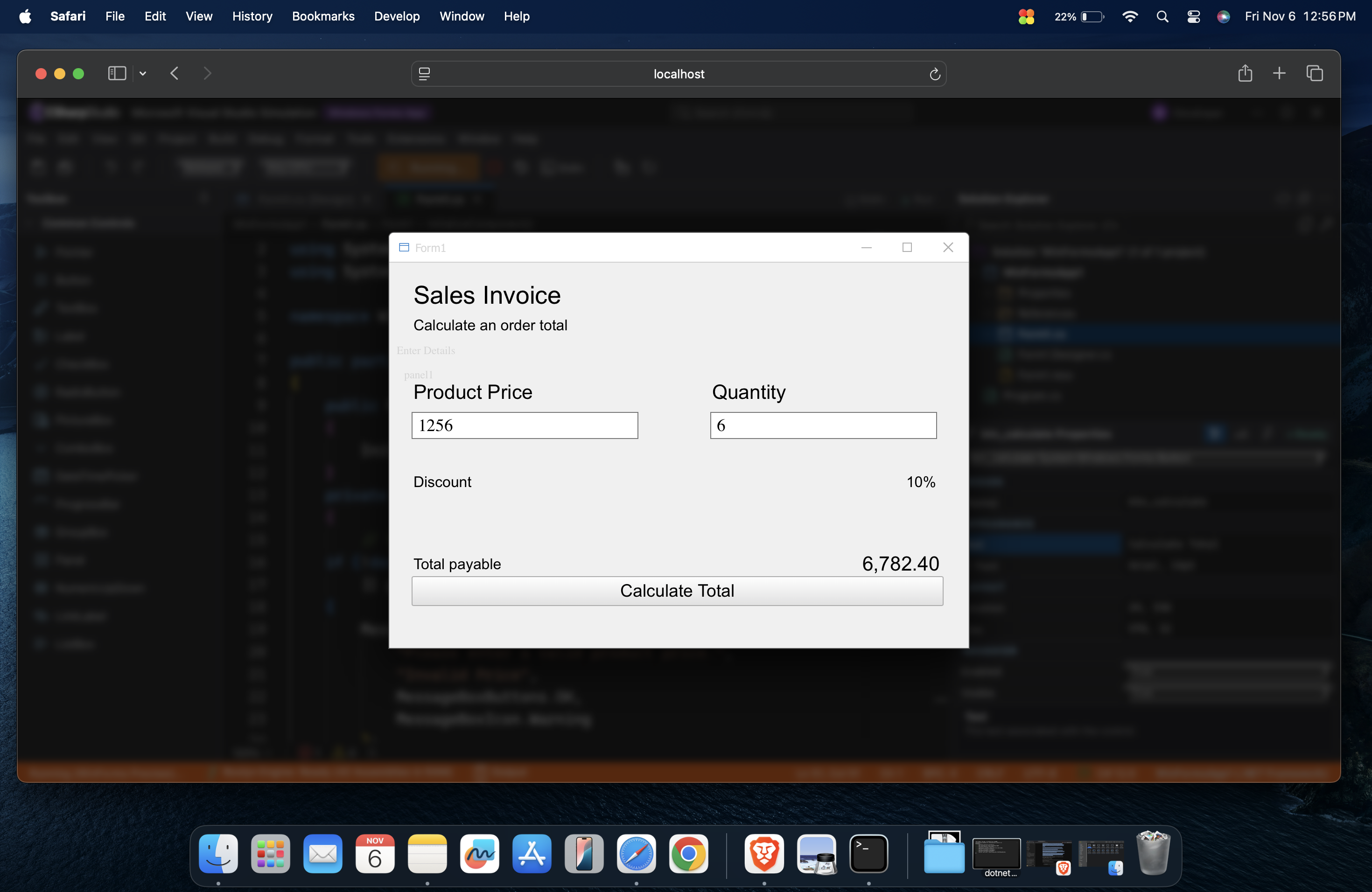
A preview window presents the sample interface as part of the intended visual learning flow.
The development views trace a practical path: write console code, arrange a form, connect events, then inspect the result.
Development captures show a C# editor beside console output. The intended learning flow connects code with what it produces.
The preview shows a controls palette and a form designer. The planned experience is a Windows Forms-style browser simulation, not native Windows Forms execution.
An event-code view and form preview illustrate the intended path from arranging controls to exploring C# event handlers.
CSharpStudio is being designed for C# beginners, students, lecturers, and educators working across Windows, macOS, and Linux.
Explore C# concepts in a recognizable workspace before taking on a full desktop setup.
Follow console, form-design, and event-driven examples during practical coursework.
Demonstrate the relationship between code, visual controls, and form behavior on different desktop systems.
No. CSharpStudio is in development and is not publicly available. There is no public app, demo or download to launch yet.
That is the product goal. The development screenshots show an IDE-style browser workspace for console and visual form learning, but public functionality is not yet available to verify.
There is no confirmed public release date. KONGRA will share announcements through its official LinkedIn and X profiles.
No. The goal is Windows Forms-style learning and design practice through a browser-based simulation, not execution of the native Windows desktop framework.
The goal is browser-based practice across Windows, macOS, and Linux. Specific browser and platform support will be confirmed as development progresses.
No. CSharpStudio is an independent KONGRA product in development. Visual Studio describes an inspiration for familiarity; it does not imply affiliation with or endorsement by Microsoft.
No public app or release date has been announced. Explore KONGRA’s current products and approach while CSharpStudio continues to develop.