

Practice SQL.
Skip the setup.
QueryClass is a browser-based SQL practice and database design tool. Write and run SQLite queries, explore sample databases, inspect results, and design ER diagrams—without installing a database server.
Open QueryClass (opens in a new tab)See how it works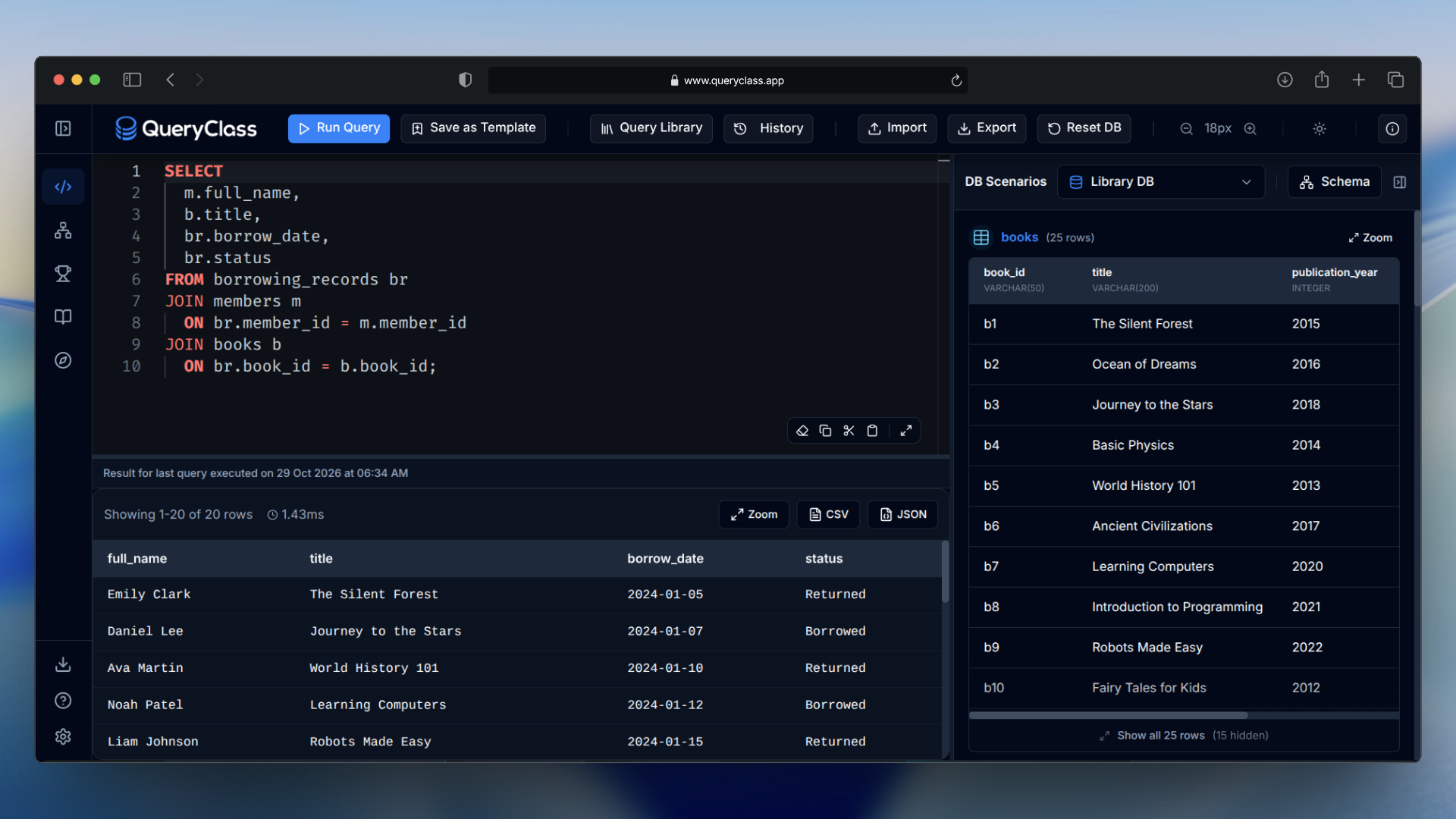 View full size ↗
Learning SQL is the point.
Installing it isn’t.
Before you can practice SQL, you often have to install a database, configure connections, and set up an editor. QueryClass removes that first hurdle, so you can start writing queries in your browser.
From a query
to a clearer model.
Four views from the real application. Choose one to explore.
View full size ↗Write SQL. See what it returns.
Write and run SQLite queries in the browser, then inspect the returned rows beside your work.
 View full size ↗
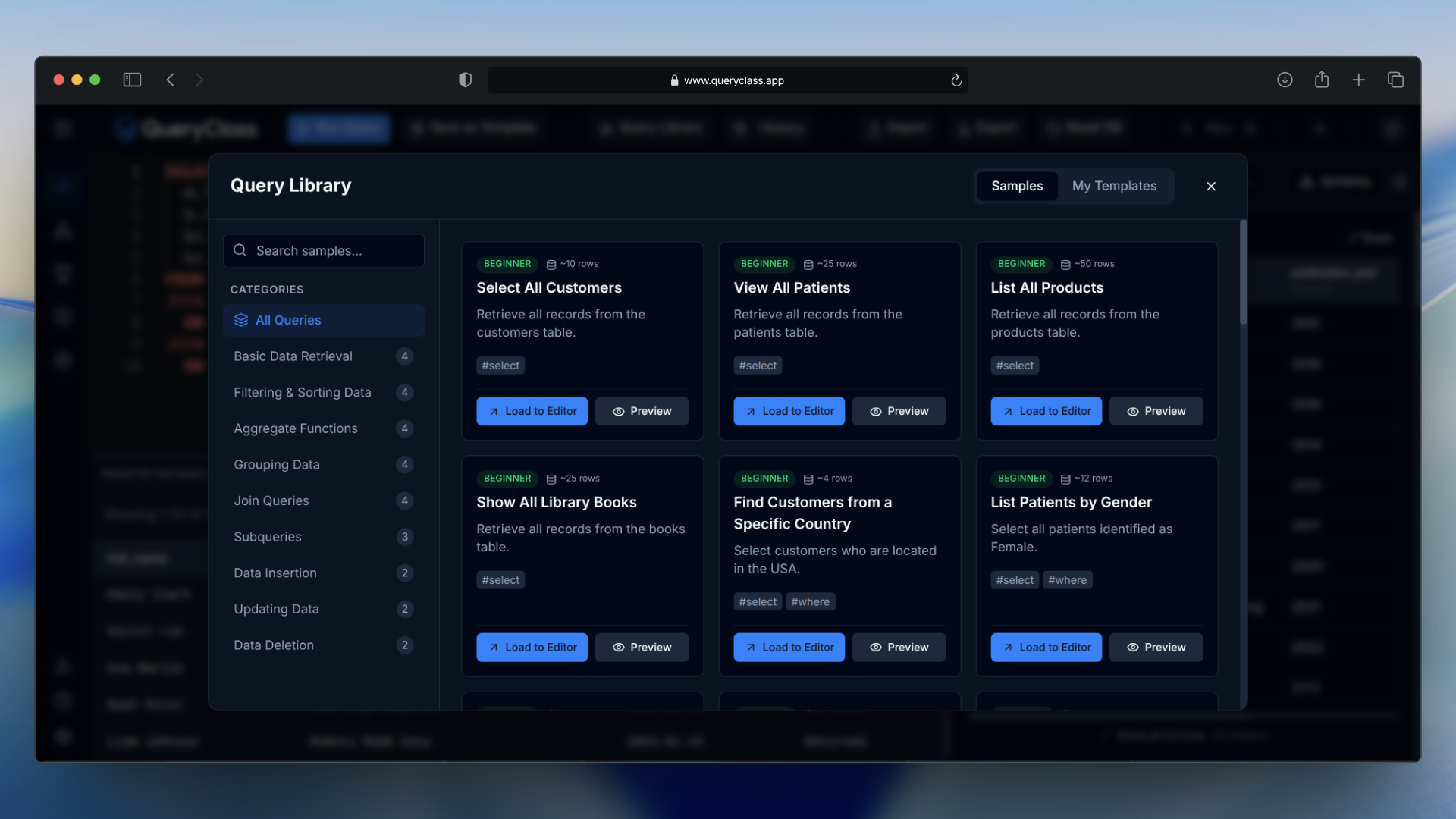
Practice with connected data.
Built-in School, Supermarket, Library, Hospital, and Bank scenarios let you explore joins, filtering, and relationships. The Query Library keeps example queries within reach.
 View full size ↗
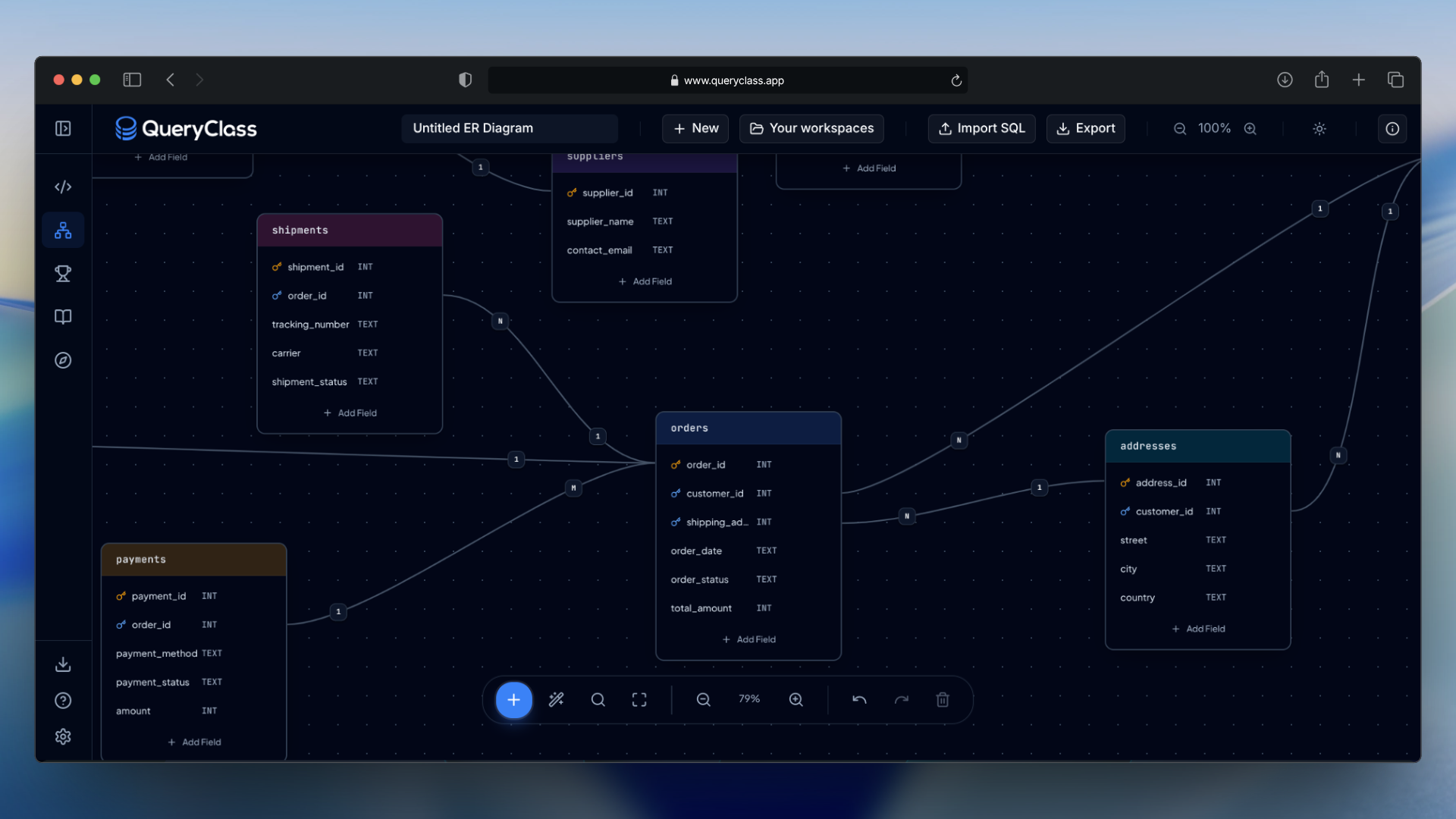
See how databases connect.
Design logical ER diagrams with entities, tables, columns, and relationships so the structure behind your queries is easier to see.
 View full size ↗
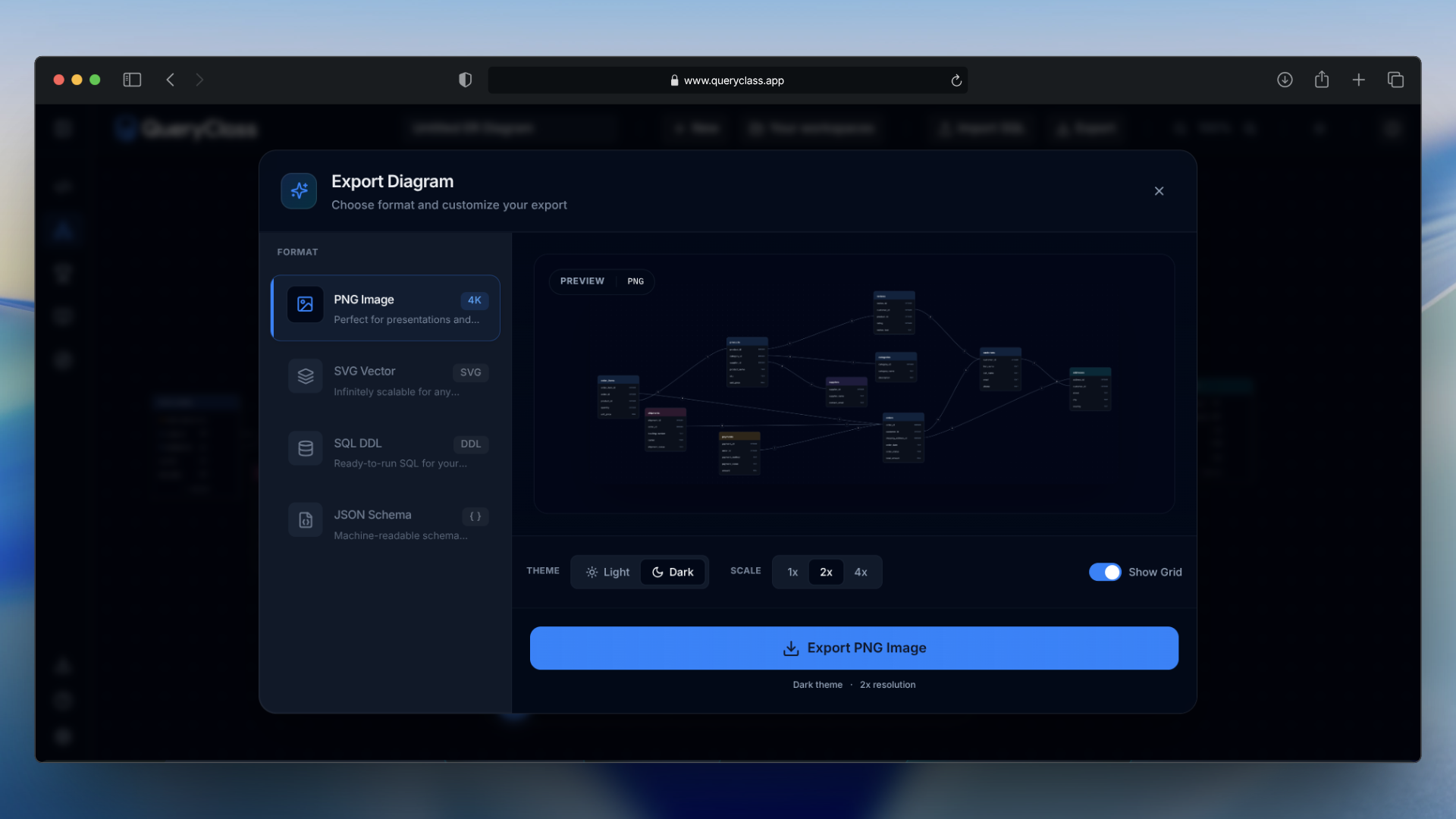
Keep useful work within reach.
Revisit queries in the Query Library, and export a diagram image or review the SQL DDL shown in the export view.
See QueryClass in action.
Watch a real walkthrough of the SQL editor, query results, and database design experience.
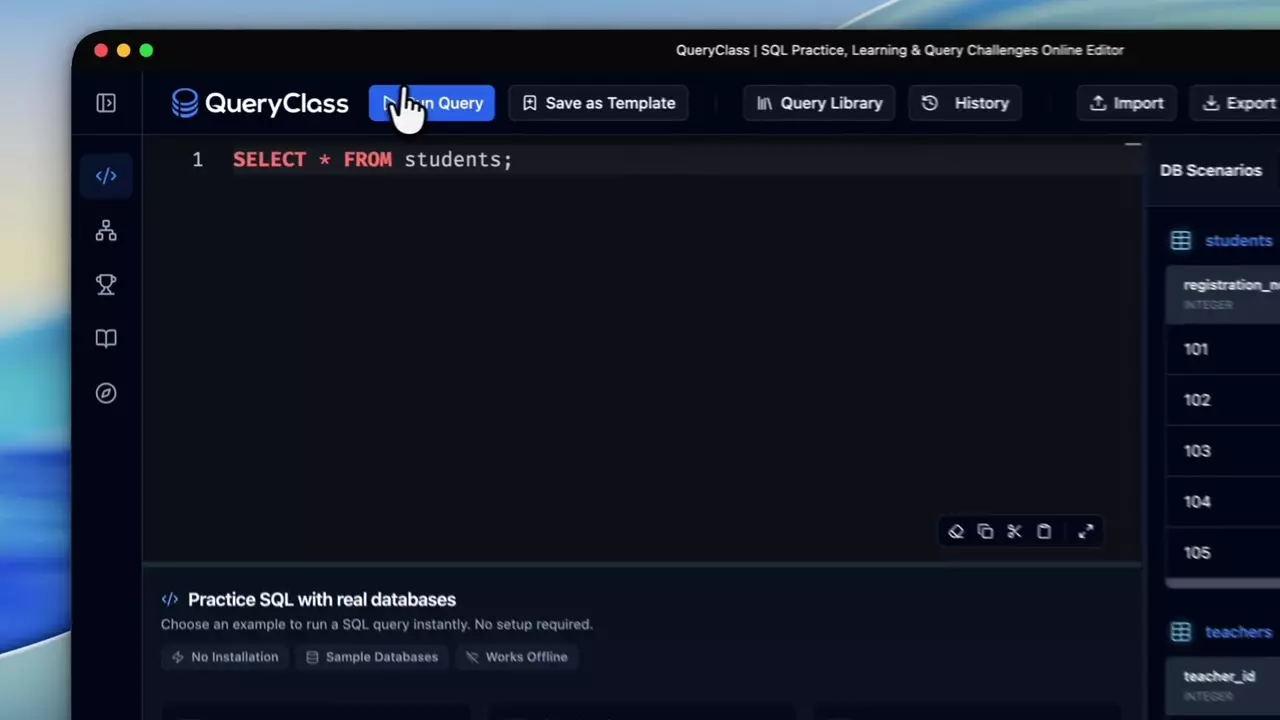 Open the real walkthrough ↗
Video playback is unavailable here. Open the recording directly.
Read the visual walkthrough
- 00:00–00:15 — Write a query. The recording opens the SQL editor, enters a query against the students table and runs it. The results show the returned student records.
- 00:15–00:31 — Explore the workspace. A query is saved as a template. The recording opens the Query Library, then explores database scenarios in the sidebar.
- 00:31–01:02 — Define an entity. The logical ER diagram designer opens. A customers entity is created, followed by fields for the customer identifier, first name, last name and email.
- 01:02–01:40 — Build a relationship. An orders entity is added with fields including its identifier, customer identifier, order date and total amount. A connection links the customer and order entities.
- 01:40–01:54 — Review export options. The export dialog opens, showing a diagram preview and SQL DDL. The recording moves between the available SQL dialect controls.
- 01:54–01:59 — Explore QueryClass. The closing screen points to the live QueryClass application.
Real SQL execution.
Right in your browser.
QueryClass uses SQLite powered by WebAssembly to execute SQL queries locally in your browser. You can practice without configuring a separate database server.
- 01 / Write
Monaco Editor
Write SQL in the browser.
- 02 / Execute
SQLite + sql.js + WebAssembly
Run queries locally.
- 03 / Understand
Results + Database Explorer
Inspect returned rows and explore data.
More about the technology
The documented architecture includes Next.js, React, TypeScript, Tailwind CSS, Radix UI, IndexedDB, a PWA service worker, and an HTML5 Canvas based ER diagram engine. QueryClass supports offline SQL practice in supported situations when the necessary application resources have already been cached.
A practical place
to learn by doing.
QueryClass gives learners and educators a place to connect SQL queries, results, and database relationships.
SQL beginners and independent learners
Run a first query and see its result without setting up a database server.
Students
Practice joins, filters, and relationships with sample relational databases.
Lecturers and educators
Use a browser-based SQL editor and visual diagrams to explain how data connects.
Developers
Try SQLite queries and inspect the returned records in a focused workspace.
Good questions.
01Do I need to install a database to use QueryClass?
No. Open QueryClass in your browser to practice SQL without installing or configuring a separate database server.
02Is QueryClass suitable for beginners?
Yes. Built-in sample databases and visible query results make it easier to start practicing and see what each query returns.
03Can I execute real SQL queries in my browser?
Yes. QueryClass runs SQLite queries locally in the browser using WebAssembly and displays their results.
04What can I do with the ER diagram designer?
Create a logical diagram of entities, columns, and relationships, then export a diagram image. The real walkthrough on this page shows the design flow.
05Does QueryClass support offline practice?
QueryClass supports offline SQL practice in supported situations when the necessary application resources have already been cached.
06Can I use QueryClass on mobile devices?
You can open the browser-based application on a mobile device. A larger screen is more comfortable for writing queries and arranging diagrams.